Host V4.24 updates the PC application only. Existing database installers and ZET 24Y/32Y V4.23 firmware remain unchanged.
Junolane MotionPLC software, firmware and user manuals.
Junolane MotionPLC Downloads
Database: Initial setup
| System | Download | Installation |
|---|---|---|
| Windows 7 x64 | Download one-click database setup — Win7 | Download PLC-WorkDatabase-Setup-win7-x64-pgAdmin.exe, run it and follow the installer prompts. |
| Windows 10/11 x64 | Download one-click database setup — Win10/11 | Download PLC-WorkDatabase-Setup-win10-11-x64-pgAdmin.exe, run it and follow the installer prompts. |
Choose the installer for your Windows version. One setup replaces the separate PostgreSQL installer, SQL import and database configuration downloads. No manual SQL import or separate database.json download is needed. After database setup completes, install the Host application. Downloads are provided through Google Drive.
Host & Firmware
| Version | Status | Published (Beijing time) | File | Download | Release notes |
|---|---|---|---|---|---|
| V4.24 | Current stable | 2026-10-27 11:46:55 | Host — Windows 7 x64 | Download Setup |
View notesJunolane MotionPLC ZET V4.24 |
| Host — Windows 10/11 x64 | Download Setup | ||||
| Firmware — ZET 24Y (V4.23) | Download BIN | ||||
| Firmware — ZET 32Y (V4.23) | Download BIN |
V4.23 User Manuals · R1.23
These manuals describe V4.23, the three installation steps and platform support. This release omits actual-machine acceptance at the owner’s request; unperformed target-system and hardware checks are not claimed as passed.
| Manual | Format | Download |
|---|---|---|
| English | Download PDF | |
| English | Word | Download Word |
| 中文 | Download PDF | |
| 中文 | Word | Download Word |
Host interface overview
Connect a device from the machine list, edit and debug its tasks in the Host, inspect its status, and manage machine programs and reusable templates.
These are offline interface examples. Available controls depend on the connection, permissions and operating mode. Click a screenshot to view the original.
Instruction tree · V4.23
Numeric notation: IDs, indexes, modes and sentinel values use hexadecimal where applicable; pulse, time and speed quantities keep their native units. Firmware macro names are shown where defined. For example, MTGM_POINT_INVALID_INDEX = 0xFFFFFFFFUL, MTGM_POINT_MAX_COUNT = 0xFFU, and MTGM_OP_COMPENSATION_NONE = 0xFFFFFFFFUL.
Click a category to expand or collapse it; click an instruction to open its description, input parameters and usage. This is the complete catalog: some motion instructions require interpolation mode, and vision instructions also require vision to be enabled. Task-function nodes depend on the functions defined in the selected task.
MCU task instructions (39)
Motion (16)
- Interpolated Absolute Move to Point
MOVE_POINT_ID - Interpolated Absolute Move to Coordinates
MOVE_XYZR - Interpolated Relative Move to Coordinates
MOVE_RELATIVE - Interpolated Relative Move to Point
MOVE_RELATIVE_POINT - Safe Absolute Move to Point
SAFE_MOVE_POINT - Safe Absolute Move to Coordinates
SAFE_MOVE_XYZR - Safe Relative Move to Point
SAFE_MOVE_RELATIVE_POINT - Safe Relative Move to Coordinates
SAFE_MOVE_RELATIVE - Single-Axis Absolute Move to Point
MOVE_AXIS_ABSOLUTE_POINT - Single-Axis Absolute Move to Coordinate
MOVE_AXIS_ABSOLUTE - Single-Axis Relative Move to Point
MOVE_AXIS_RELATIVE_POINT - Single-Axis Relative Move to Coordinate
MOVE_AXIS_RELATIVE - Arc XY
ARC_XY - Three-Point Arc XY
ARC_THREE_POINT_XY - Center-Radius Circle XY
CIRCLE_XY - Ellipse XY
ELLIPSE_XY
- Interpolated Absolute Move to Point
I/O & Timers (3)
Task Functions (1)
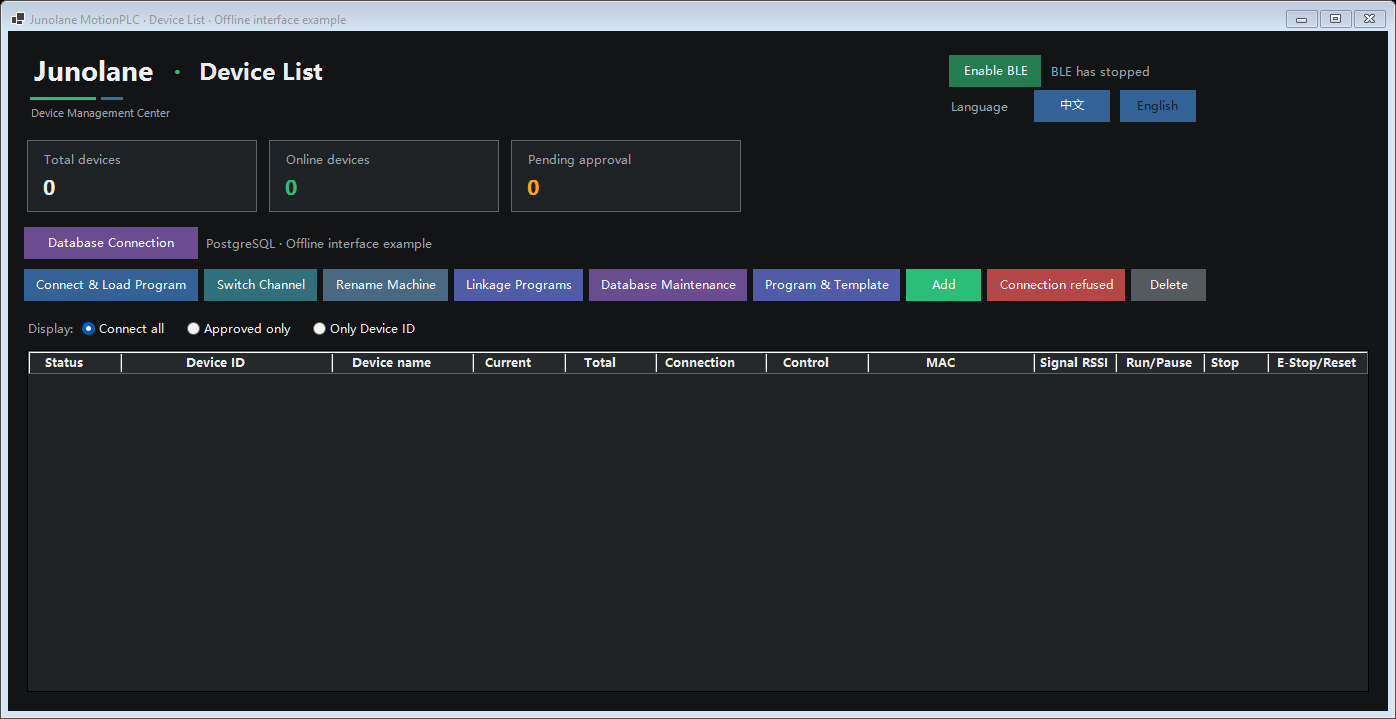
1. Machine list: find and connect devices
View device totals, online status, MCU UID, machine names, counters and connection channels. Select a machine to connect and load its program, switch channels, rename it, or open Program & Template. Serial and network connections are supported; BLE is available in the Win10/11 build.
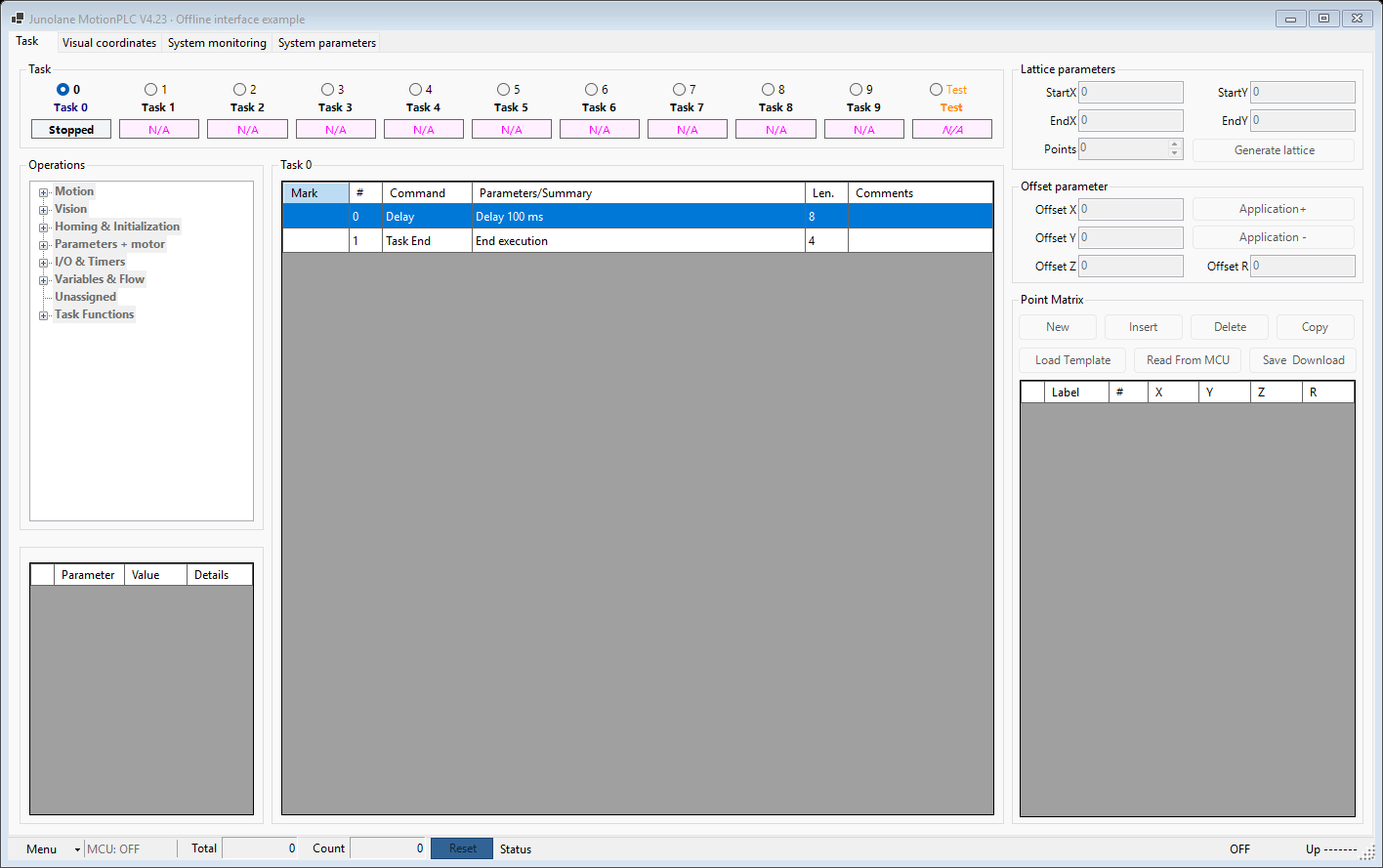
2. Host task editing and debugging
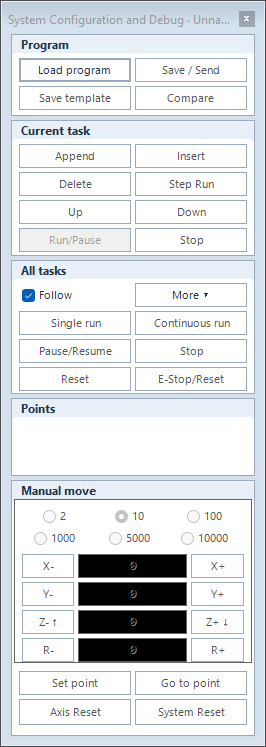
Select a task, choose operations from the instruction tree, and arrange the sequence with parameters, marks and comments. Manage point matrices on the right. Open System Configuration and Debug from the bottom Menu for append, insert, reorder, step execution, manual movement and homing controls. Saving to the database and downloading to the MCU are separate, explicit actions.
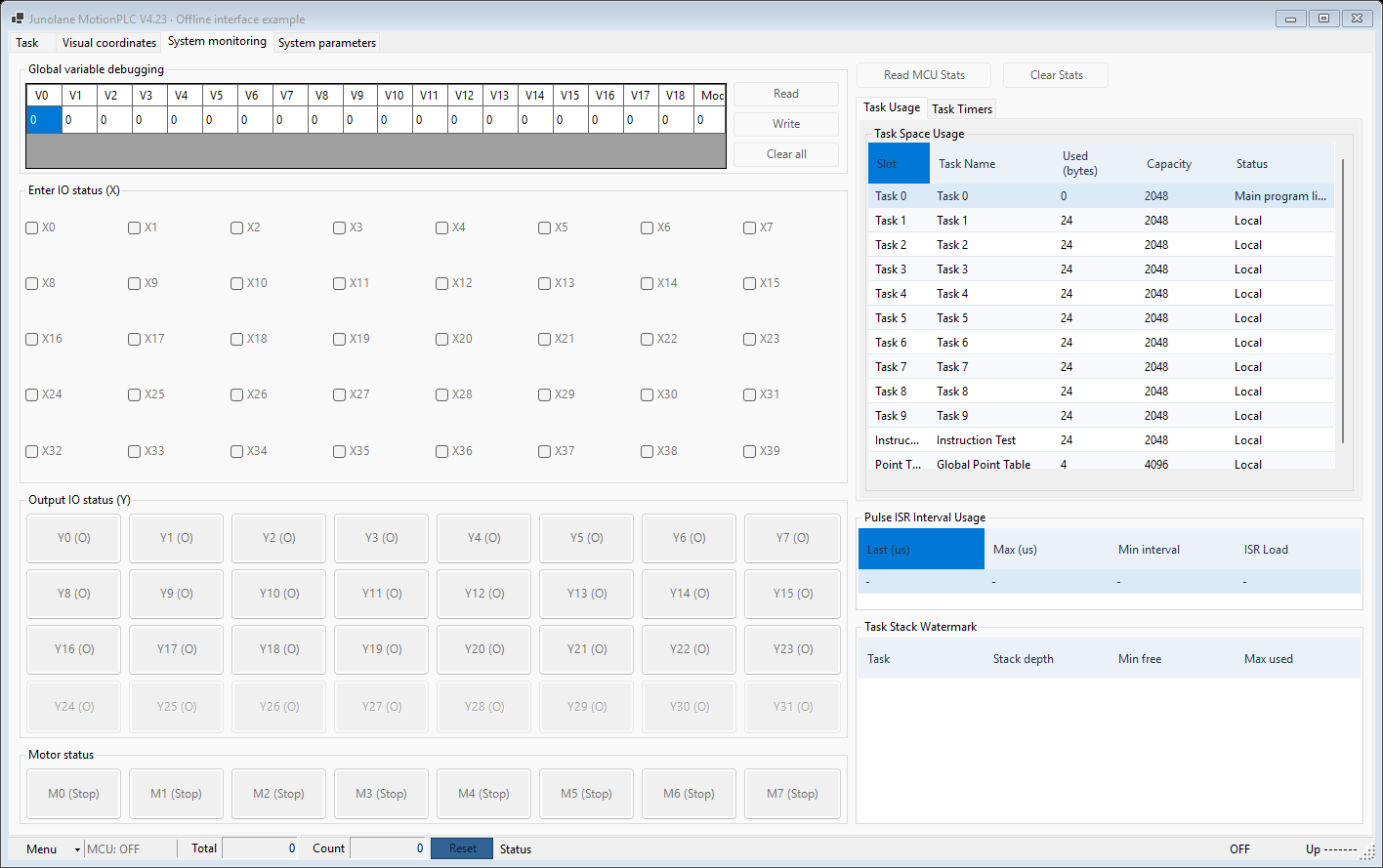
3. System monitoring: I/O, variables and task status
Inspect inputs, outputs, motors and global variables together with task capacity, stack usage and MCU statistics. Read task timer snapshots when needed to investigate waits, timing and operation state alongside the task sequence.
4. System parameters and display names
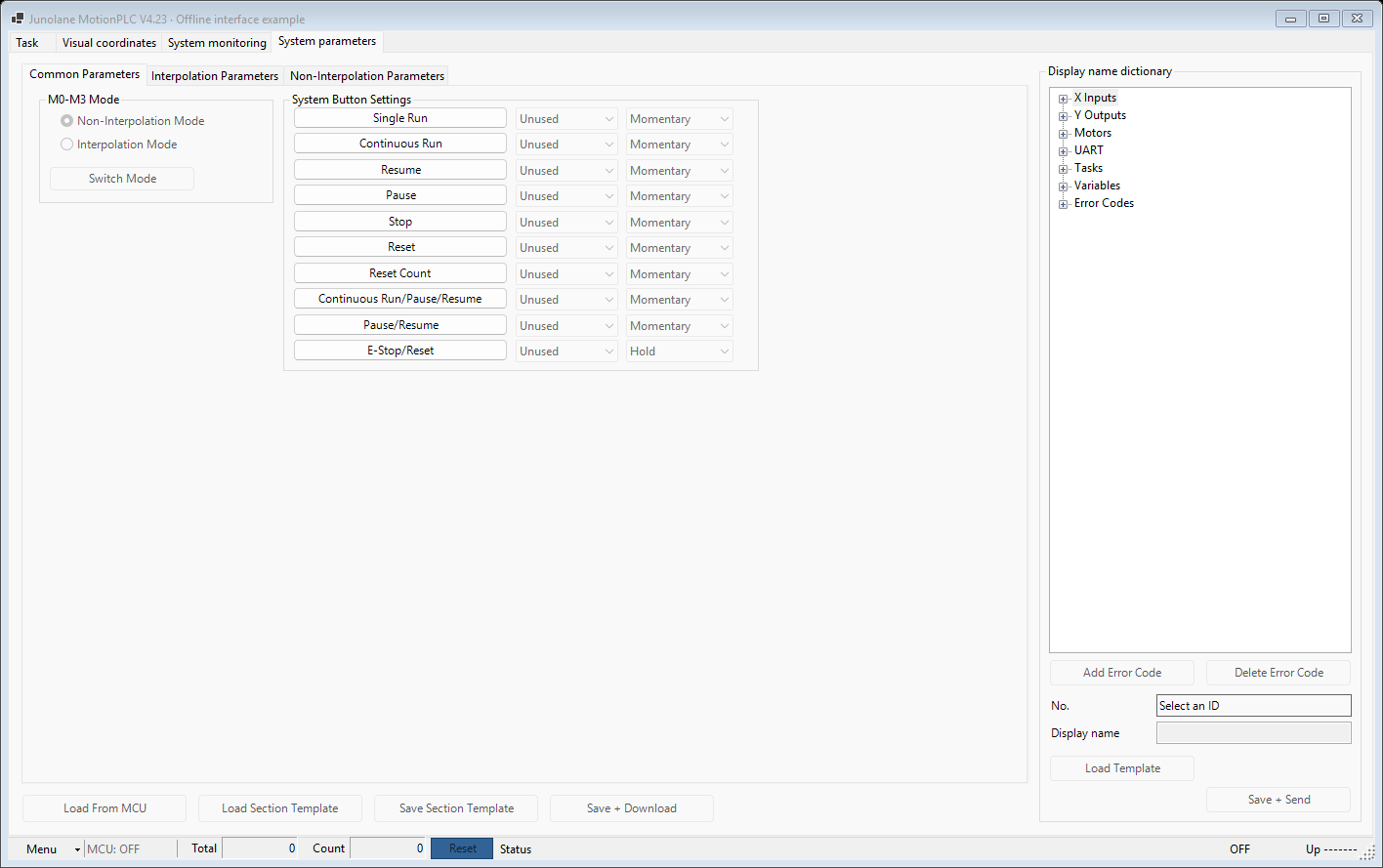
Manage operating modes, system button assignments and the display-name dictionary. Give inputs, outputs, motors, tasks, variables and error codes recognizable names; read settings from the MCU, use parameter templates, and explicitly save or download changes.
5. Program & Template: save, inspect and reuse
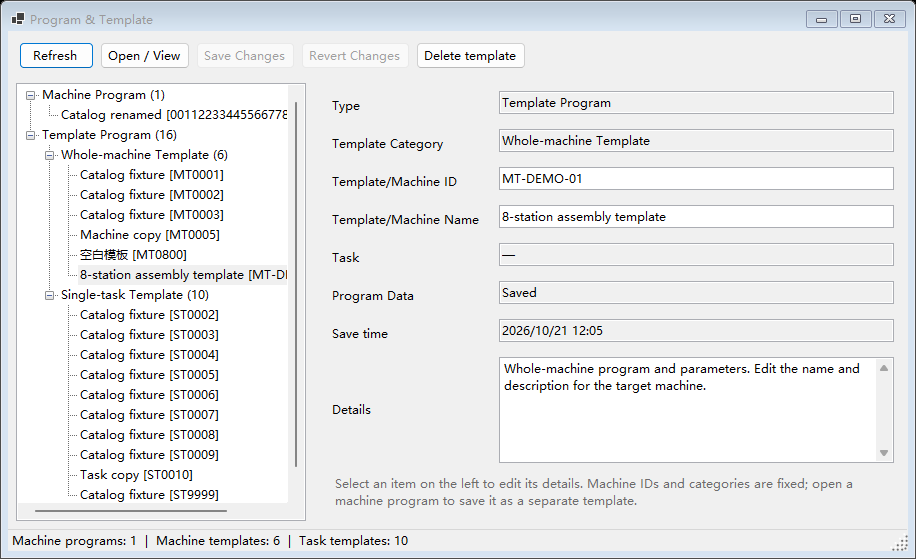
Browse machine programs, whole-machine templates and single-task templates in a grouped tree. Edit names and descriptions, open saved contents, and save a verified machine program as a reusable template for subsequent machine setup.
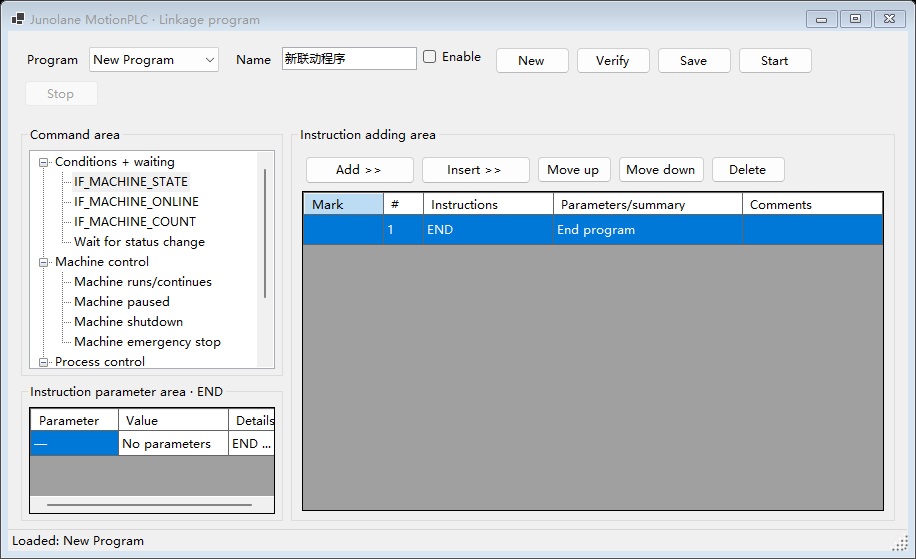
6. Host linkage programs: coordinate machines
Build conditions, waits and control sequences around machine online status, running state and counters. Edit instruction parameters, verify the program and start execution. Linkage scripts run on the PC Host and require the PC to remain running.